
WARNING: THIS POST CONTAINS AI IMAGES
So far this year Bot and I have created ~40,000 images. The image below is a tiled pattern that I will manipulate in Photoshop and then print on fabric (Spoonflower). Then I’ll make something like a bucket bag out of the fabric.
Below, I’ve ‘reverse-engineered’ the image in pictures with prompts so you can see the process. This image was a relatively simple one to track back. Some are almost impossible to track origins for because they contain multiple seeds with multiple blends and variations.
If it looks complicated, the work of Bot in making, varying, stylising and storing and/or retrieving images is complicated. The most time-consuming part of what I do is looking for images that we have already constructed, and working out how to blend with my own images (digital and painted) to keep consistency with my body of work.

Prompt for repeat design above: https://s.mj.run/8YX8BqLqdf8 haeckel style plants –tile –s 50
NOTE: The design Bot made is not close to the original because –s 50, even though it is the ‘stylise low’ parameter, still allows Bot’s default aesthetic. To limit the default aesthetic change to the –style raw parameter.


Prompt image blend at left: https://s.mj.run/0f0AAfZTQtU ::2 https://s.mj.run/elb9rVaxWyI ::4 –stylize 50 –v 5.2


Text prompt for grid at left: Flat lay view of a botanical engraving of 6 botanical specimens on a white background in the style of Haeckel
Text prompt for grid at right: flat lay view of a hand-coloured botanical engraving of 3 botanical specimens on a white background in the style of Ernst Haeckel –v 5.2
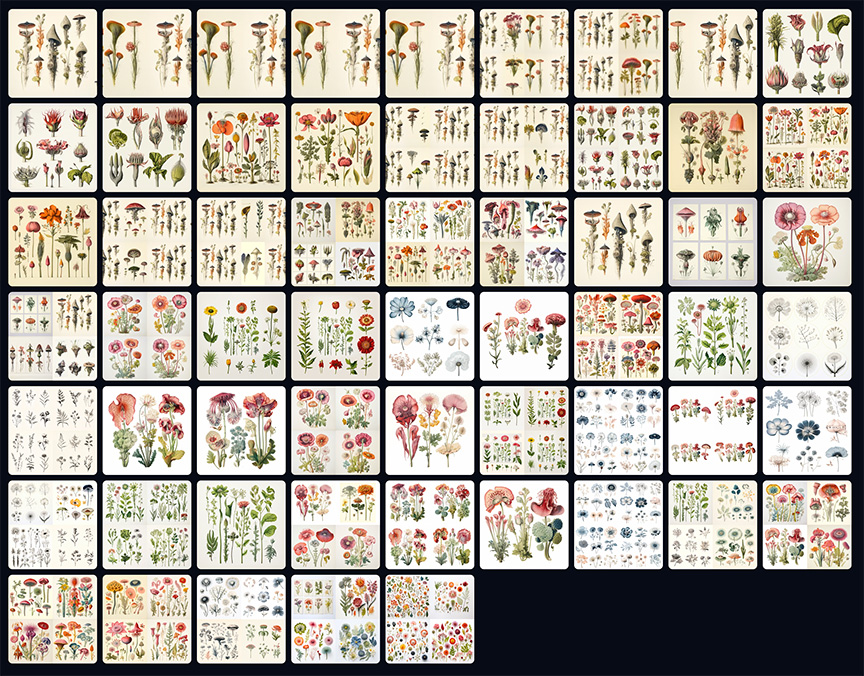
Above: Images with similar prompts that led, some months later to the fabric design above. These images provide further elements for ongoing work.




 An artist's practice